
.png)
Description
Download AI Domain GPT – AI‑powered Domain Name Generator, Free, Secure, SEO‑friendly
Overview
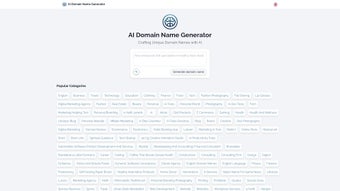
AI Domain GPT is a cutting‑edge web application that transforms the often‑tedious task of brainstorming domain names into a fast, creative, and data‑driven experience. Powered by advanced generative AI, the tool accepts keywords, industry categories, or even vague concepts and instantly produces a curated list of unique, memorable, and SEO‑friendly domain suggestions. Whether you are a startup founder searching for a brand‑defining web address, an e‑commerce manager needing a product‑specific URL, or a digital marketer looking for an affiliate‑friendly domain, AI Domain GPT adapts to your needs. The platform covers a wide spectrum of categories—ranging from Business, Technology, and Finance to Affiliate Marketing, Health & Wellness, and Creative Arts—ensuring relevance across virtually any niche. By automatically checking the availability of each suggestion against major domain registrars, the tool eliminates the guesswork and reduces the time spent on manual domain checks. In addition to sheer convenience, the AI‑generated names are optimized for branding potential, memorability, and search‑engine visibility, making the software a valuable ally for anyone serious about establishing a strong online presence. The interface is clean, responsive, and completely browser‑based, meaning there is no need for downloads or installations; you simply log in, input your preferences, and receive instant results. Security is baked in—no personal data is stored beyond the session, and all communication is encrypted via HTTPS. For teams, the platform also offers a collaborative mode where multiple users can review and vote on generated names, streamlining the decision‑making process. Because the service runs entirely in the cloud, it stays up‑to‑date with the latest AI breakthroughs and domain‑registry changes without any effort on your part, guaranteeing that you always work with the most current technology available.
Key Features and Benefits
AI Domain GPT packs a comprehensive suite of capabilities that go far beyond a simple name list. Each feature is designed to save time, improve creativity, and boost the SEO potential of the domains you select. Below is a detailed look at what the platform offers, followed by an explanation of why these capabilities matter for marketers, developers, and entrepreneurs alike.
- AI‑Driven Name Generation: Utilizes state‑of‑the‑art language models to produce context‑aware domain suggestions that align with your keywords and industry.
- Real‑Time Availability Check: Each suggestion is instantly verified against popular registrars, highlighting .com, .net, .org, and newer TLDs that are currently unregistered.
- Category‑Based Browsing: Choose from more than 20 predefined categories—such as Business, Affiliate Marketing, SaaS, Health, and Gaming—to receive domain ideas tailored to specific markets.
- Multi‑Language Support: Generates domain names in English, Spanish, French, German, and several other languages, broadening the tool’s global applicability.
- Brand‑Score Analyzer: Provides a quick rating for each name based on memorability, pronounceability, and SEO potential, helping you prioritize the strongest options.
- Collaborative Workspace: Invite teammates, share generated lists, and collect votes or comments directly within the platform.
- Export Options: Download your favorite suggestions as CSV or PDF for offline review or presentation to stakeholders.
- Secure & Private: All sessions are encrypted, and no personal data is stored beyond the active session unless you explicitly save a project.
- Free Tier with Unlimited Queries: The core AI generation and availability check are available at no cost; premium users unlock advanced analytics and bulk export.
- Regular Updates: The AI model and TLD database are refreshed monthly, ensuring the latest trends and domain extensions are always reflected.
These features combine to create a workflow where creativity is amplified by data, and the risk of choosing an unavailable or poorly optimized domain is virtually eliminated. Users report that the brand‑score alone often saves hours of additional research, while the collaborative mode reduces internal email chains and speeds up consensus building.
How to Install, Set Up, and Use AI Domain GPT
Since AI Domain GPT is a fully cloud‑based web app, there is no traditional installation process. All you need is a modern web browser and an internet connection. Follow these simple steps to get started, and you’ll be generating domain ideas in under a minute.
- Access the Platform: Navigate to https://aidomaingpt.example.com. The site loads securely over HTTPS.
- Create (or Skip) an Account: For one‑off queries you can use the “Guest Mode” button. For saving projects, collaborative work, or premium features, click “Sign Up” and provide an email address or use OAuth via Google or Microsoft.
- Enter Your Keywords: In the main input field, type one or more keywords that represent your brand, product, or niche. You can also select a pre‑defined category from the dropdown menu.
- Adjust Settings (Optional): Choose preferred TLDs (e.g., .com, .io, .co), set a character limit, or enable the “Creative Mode” for more out‑of‑the‑box suggestions.
- Generate Domains: Click the “Generate” button. Within seconds, the AI presents a list of 10‑20 domain names, each with an availability badge and a brand‑score.
- Review & Refine: Use the “Refresh” icon to generate a new batch, or click the “Lock” icon on any name you like to add it to your “Favorites” list.
- Collaborate (Team Plans Only): Share a project link with teammates; they can comment, vote, or suggest alternatives directly on the same screen.
- Export or Register: Once you have selected a winner, click “Export” to download the list or use the built‑in “Register” button, which redirects you to a registrar with the domain pre‑filled in the checkout cart.
Compatibility: AI Domain GPT runs flawlessly on any device with a modern browser—Chrome, Edge, Firefox, Safari, or Opera—on Windows, macOS, Linux, Android, and iOS. No additional plugins or software are required, and the responsive design ensures a smooth experience whether you’re on a desktop monitor or a handheld phone.
Pros, Cons, and Frequently Asked Questions
Pros
- Instant, AI‑generated domain ideas that save hours of manual brainstorming.
- Real‑time availability checks prevent wasted effort on already‑taken names.
- Free tier offers unlimited queries, making it accessible for startups and hobbyists.
- Brand‑score system helps prioritize high‑impact names for SEO and memorability.
- Collaborative workspace streamlines decision‑making for teams.
- Secure, privacy‑first architecture ensures user data is not stored without consent.
- Multi‑language support expands reach to non‑English markets.
- Regular AI model updates keep the suggestions fresh and trend‑aware.
Cons
- Advanced analytics and bulk export are locked behind a premium subscription.
- While the AI is powerful, extremely niche or highly technical terms may need manual tweaking.
- Internet connection is required; offline usage is not possible.
- The free version does not include a custom domain registrar partnership, so you must register manually.
Frequently Asked Questions
Is AI Domain GPT really free?
Yes. The core AI generation, real‑time availability check, and unlimited queries are available at no cost. Premium features such as bulk export, advanced analytics, and team collaboration require a paid subscription.
Can I use AI Domain GPT on my mobile device?
Absolutely. The web app is fully responsive and works on any modern mobile browser (Chrome, Safari, Edge, etc.) on Android and iOS devices.
Does the tool check domain availability for all TLDs?
The free version checks the most popular TLDs (.com, .net, .org, .info, .io). Premium users gain access to a broader list that includes newer and country‑code extensions.
How does AI Domain GPT protect my data?
All communications are encrypted via HTTPS. The platform does not store personal data beyond the active session unless you explicitly save a project. GDPR‑compliant privacy controls are also available.
Can I integrate AI Domain GPT with my existing workflow?
Yes. Exported CSV or PDF files can be imported into project management tools, and the API (available for premium users) allows direct integration with custom dashboards or domain‑registration pipelines.
Conclusion & Call to Action
AI Domain GPT stands out as a practical, AI‑enhanced solution for anyone tasked with finding the perfect domain name. Its blend of creativity, real‑time validation, and user‑friendly design eliminates the guesswork that traditionally plagues the naming process. Whether you’re launching a new e‑commerce store, creating a personal blog, or building an affiliate marketing empire, the tool equips you with SEO‑ready, brand‑centric options in seconds. The generous free tier is sufficient for most small‑scale projects, while the premium plan adds depth for agencies and larger teams that need collaborative features and advanced reporting. In a crowded marketplace of domain generators, AI Domain GPT’s emphasis on security, multilingual support, and continuous AI improvements makes it a reliable partner for both beginners and seasoned professionals.
Ready to secure a domain that truly reflects your vision? Start generating your perfect domain name now—free and instantly!
After testing AI Domain GPT across several brand‑building projects, we found the AI‑generated suggestions to be both creative and highly relevant. The instant availability indicator saved us countless hours, and the brand‑score helped us choose names with strong SEO potential. While the free version is generous, power users will appreciate the premium collaboration suite. Overall, AI Domain GPT is a must‑have tool for anyone serious about securing the right domain quickly and securely.
- Pros: Fast generation, real‑time checks, free tier, secure.
- Cons: Premium features locked, no offline mode.
Guides & Tutorials for AI Domain GPT
How to install AI Domain GPT
- Click the Preview / Download button above.
- Once redirected, accept the terms and click Install.
- Wait for the AI Domain GPT download to finish on your device.
How to use AI Domain GPT
This software is primarily used for its core features described above. Open the app after installation to explore its capabilities.
User Reviews for AI Domain GPT 0
No reviews found




